Matinee
The YouTube videos you meant to watch, kept in one place on your own computer. Still there when you are.
Matinee runs in Chrome on a computer.Matinee needs Chrome on a computer. It’s free.
Watch later?
Later never comes
Unless it’s kept somewhere you’ll find it again.
- The recipe you’d make on Sunday.
- Part two of the guitar lesson.
- The talk a friend said you’d love.
One tap and it’s kept
Tap Save under the player and it’s kept in your Inbox. Sort it into a folder when you like, find it again in seconds, and pick up where you stopped.
You’re watching a video, and you want to keep it.
Tap Save under the player. It’s kept in your Inbox.
Later, sort it into a folder. It carries on where you stopped.
See it working
Here’s the real thing, filled with a sample library.
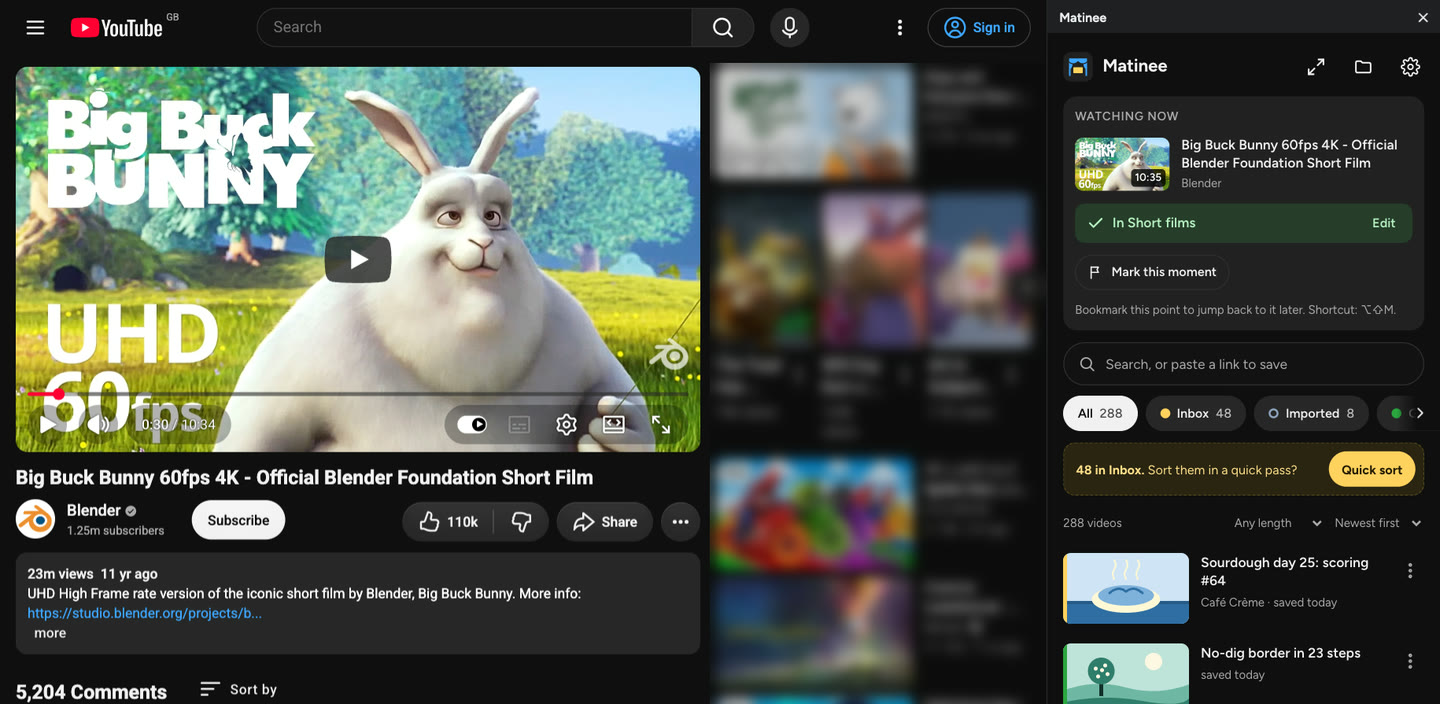
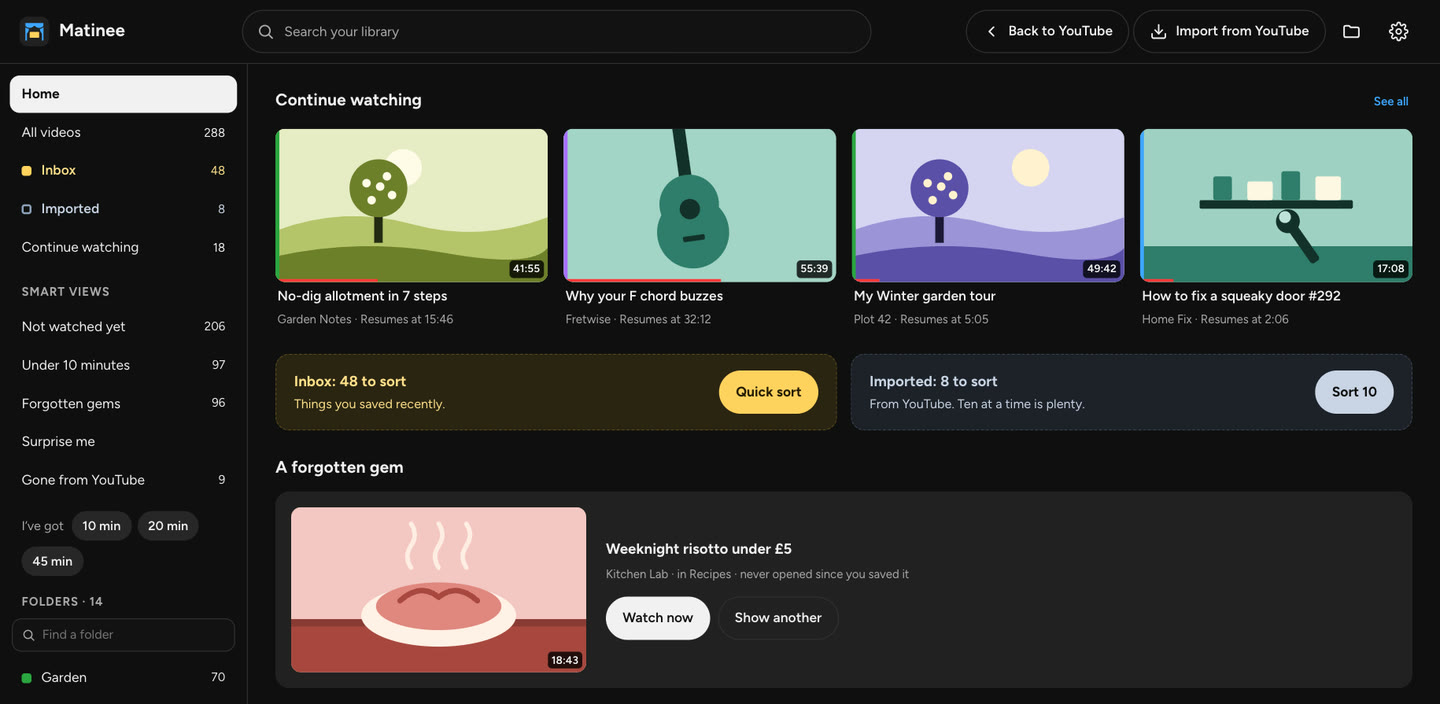
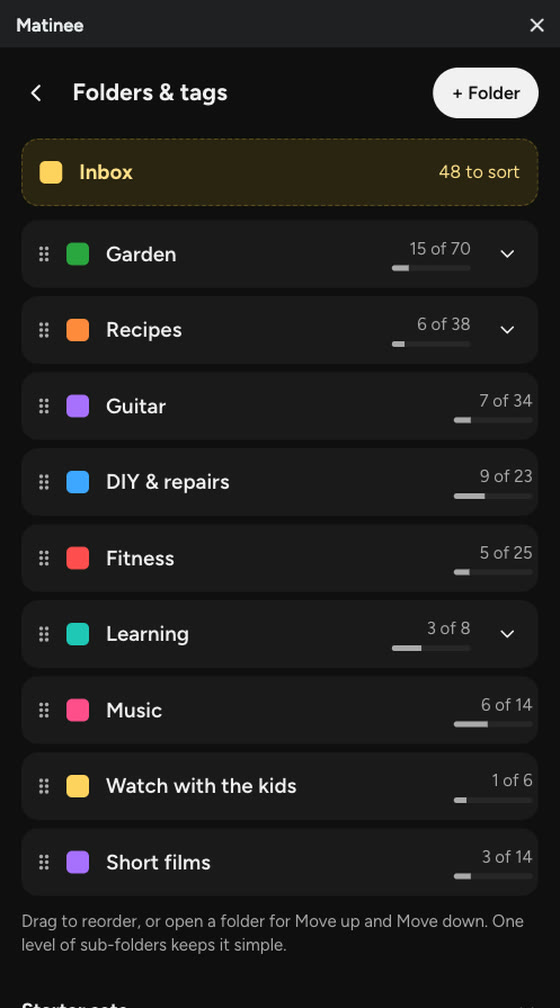
Spoken, with captions. It plays only when you ask.
The films in the sample are Blender Studio’s open movies, shared under Creative Commons (CC BY). The other videos are made up.
It stays with you
- No account. Your library lives in Chrome, on your own computer.
- Your library and what you watch are never sent to us. An email you leave is used only for what you asked for: the link, and news only if you tick the box.
- Your YouTube account is never changed. Importing only reads it.
- Backups go to a folder you choose, so everything can come with you.
Change the colours
Saving, sorting, finding and backing up are free, for good.
Pro, coming later, changes how Matinee looks: skins, colours and layouts. Try two of its skins on this page.
When you’re ready
Join the pilot and add Matinee to Chrome on this computer. It’s free, and the next video you mean to watch will have somewhere to go.
Matinee runs in Chrome on a computer.Matinee needs Chrome on a computer. Send it on, and open it there when you’re ready.
-
Send it to yourself
Send this page to yourself the way you usually do: a message, a note, or AirDrop to your Mac.
-
Type the short address
matinee.ndjin.co.uk
Type it into Chrome on your computer.